
Shopcada
  • Features
    • Everything you need to sell
    • Automation
    • Sell everywhere
    • Scalable
    • Continuous Support
  • Sell
    • Web
    • POS
    • ShopcadaPay
    • Marketplaces
  • Work
  • Support
    • Guides
    • Blog
    • Support
  • Login
  • Request Trial
Shopcada
  • Features
    • Everything you need to sell
    • Automation
    • Sell everywhere
    • Scalable
    • Continuous Support
  • Sell
    • Web
    • POS
    • ShopcadaPay
    • Marketplaces
  • Work
  • Support
    • Guides
    • Blog
    • Support
  • Features
    • Everything you need to sell
    • Automation
    • Sell everywhere
    • Scalable
    • Continuous Support
  • Sell
    • Web
    • POS
    • ShopcadaPay
    • Marketplaces
  • Work
  • Support
    • Guides
    • Blog
    • Support
  • Request Trial
Help Center/ Your Store/ Reports/ Who Bought What Report
On this page

Who Bought What Report

Updated 30 Jul 2021 1 min read


  • From MANAGE YOUR STORE (DASHBOARD), go to REPORTS then go to WHO BOUGHT WHAT REPORT.
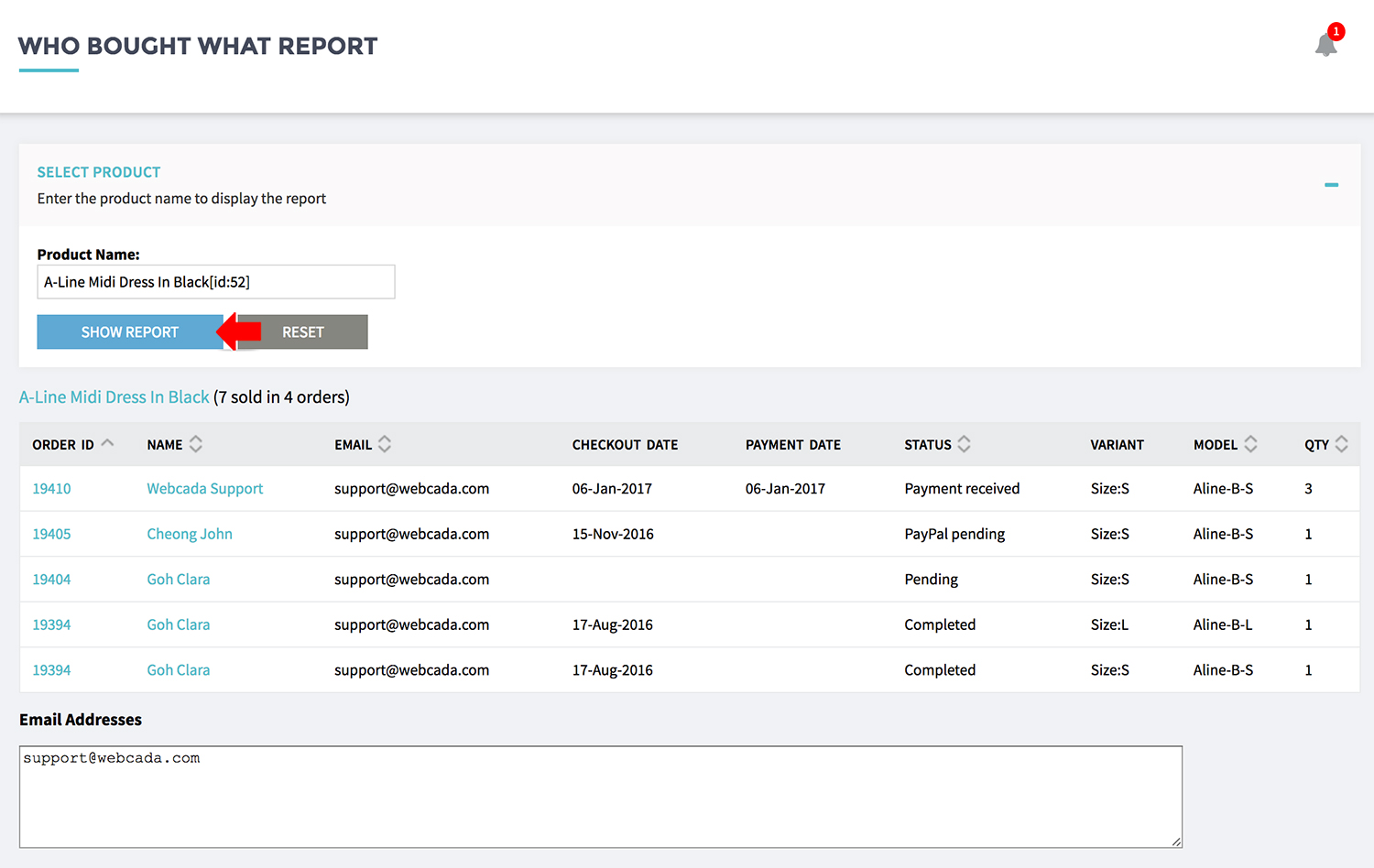
  • You can view the list of customer who checkout a product from your store.
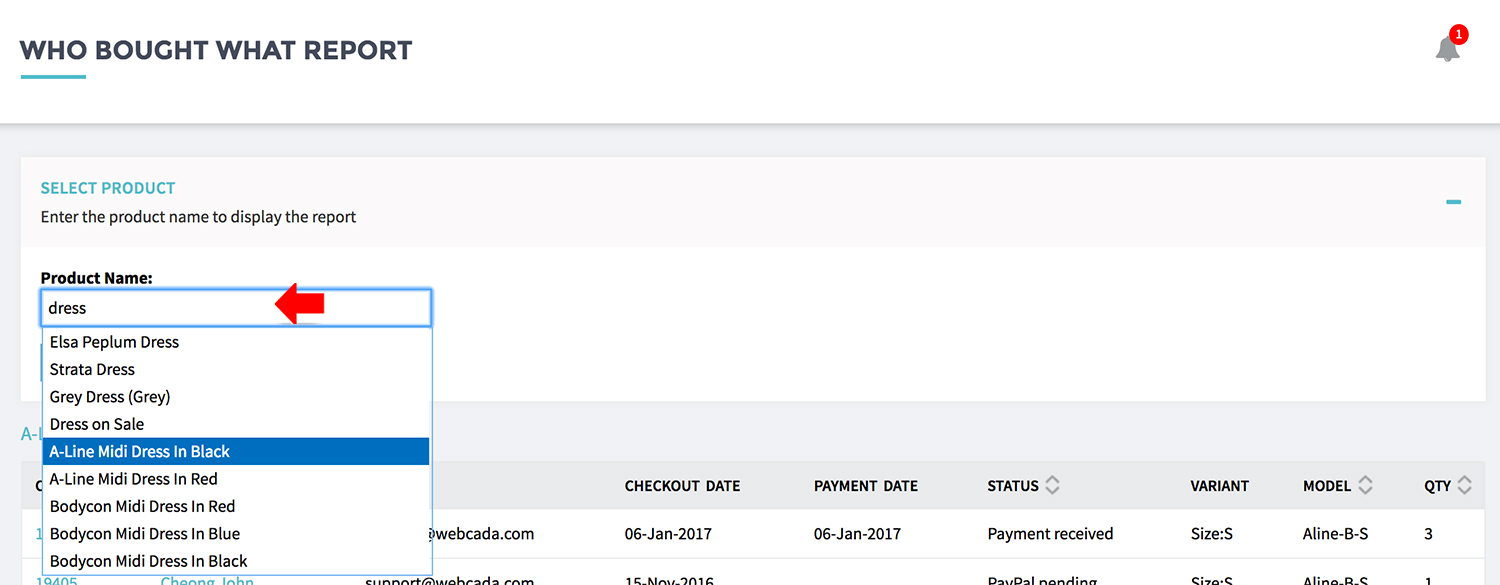
  • Enter the product name
  • Click [SHOW REPORT] 
  • You may copy the customer email address for after sales support communication.


Related articles

Membership Forecast Report Membership Movement Report Shopcada Reports' Glossary Product Report
On this page
Shopcada
© Copyright Shopcada. 2026. All Rights Reserved.

Sell Everywhere

  • Web
  • POS
  • Marketplace

Products

  • Features
  • Showcases
  • API

Company

  • Contact Us
  • Terms of Service
  • Privacy Policy
  • Personal Data Protection Policy

Customer Care

  • Guides
  • Blog
Shopcada
© Copyright Shopcada. 2026. All Rights Reserved.