


Shopcada support 2 types of shipping charges calculation methods.
- Flat rate shipping - calculated according to number of items in cart or per shipment
- Weight based shipping - calculated according to the total weight of all items in cart.
- From MANAGE YOUR STORE (DASHBOARD), go to SETTING then go to SHIPPING
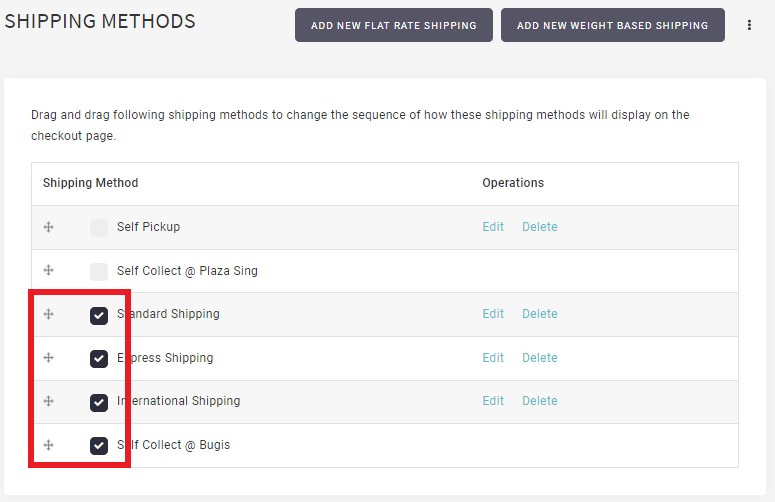
- Click check / uncheck to turn on or off a shipping method.
- Drag and drop with the drag icon to arrange the sequence display to customer during check out.
- Click [EDIT] to update the setting of respective shipping mode
- Click [SAVE CONFIGURATION] to save the update.
- To add new shipping method, click ADD NEW FLAT RATE SHIPPING or ADD NEW WEIGHT BASED SHIPPING.
