


Overview
The Outstanding Balances report shows what your store still owes customers in points, store credit, gift certificates and cashback. It shows only the features your store uses.
View the Report
- Navigate to Dashboard > Reports > Credits & Rewards Report.
- Set Date Between to the first and last day of the period.
- Click View Online.
- Click Download to save a CSV file.
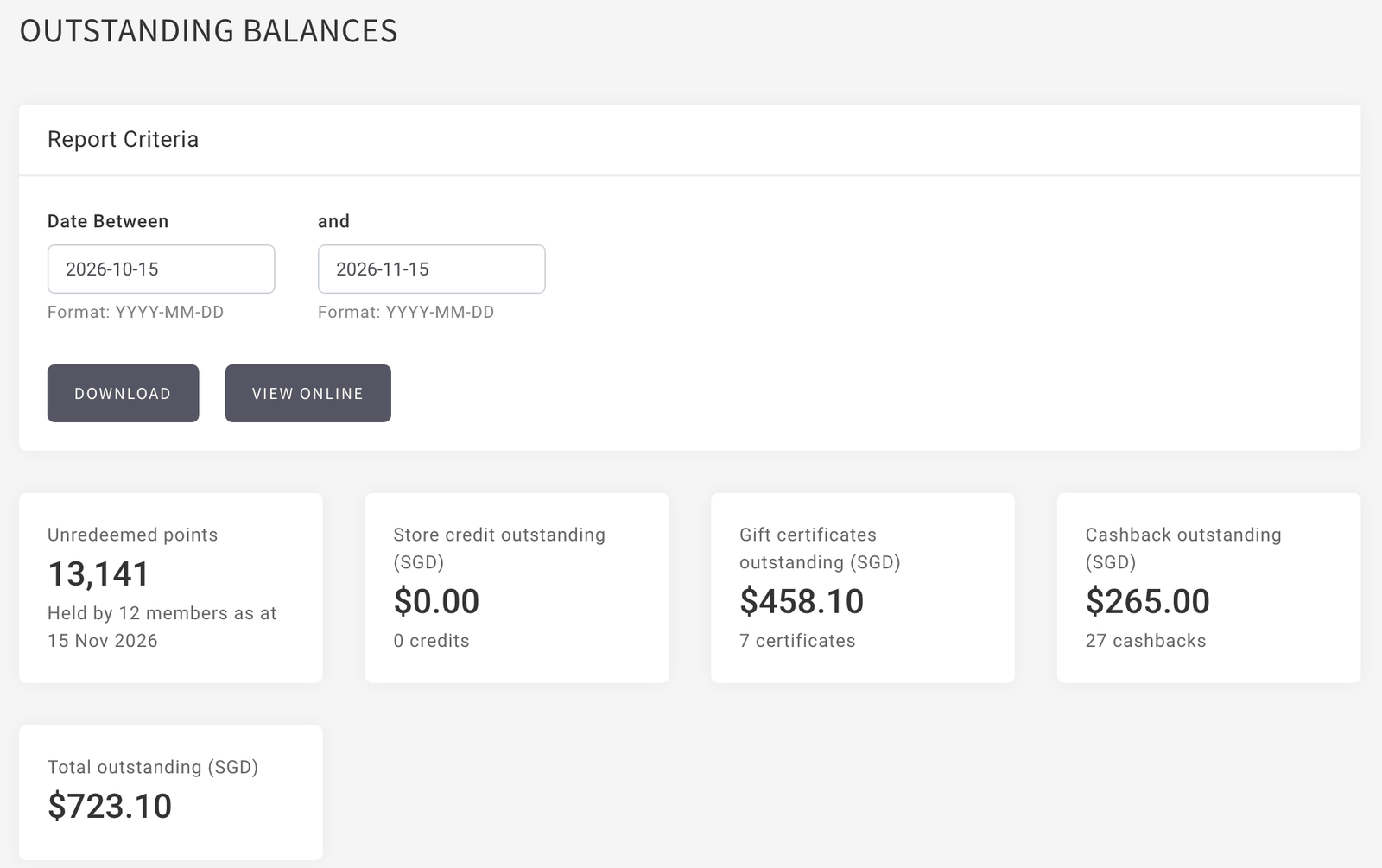
If the end date is after today, the report stops at today.
Staff need the Access Credits & Rewards Reports permission to open the report.
Summary Cards
The cards show the balances on the end date, in your store currency. Other currencies are in the tables below.
Points are a count, not money. The report doesn’t convert currencies.
| Card | Description |
|---|---|
| Unredeemed points | The points customers hold, and how many members hold them. |
| Paid gift cards awaiting issuance | Gift cards that customers have paid for but that are not issued yet, because their delivery date hasn’t come. |
| Store credit outstanding | Unused store credit, and the number of credits. |
| Gift certificates outstanding | The unused value of issued gift certificates, and the number of certificates. |
| Cashback outstanding | Unused cashback, and the number of cashbacks. |
| Total outstanding | Only if your store has more than one money card. The money cards added together. Points are not included. |
Movement Schedule
The table shows how each balance changed during the period. It has one row for points, then one row for each type and currency, such as Store credit SGD. Redeemed, Expired and Voided show as minus figures.
| Column | Description |
|---|---|
| Opening | The balance on the first day of the period. |
| Issued | Value given to customers. For paid gift cards awaiting issuance, it means payments received. |
| Redeemed | Value customers used. |
| Expired | Value that expired. |
| Voided | Value removed when it was voided. For paid gift cards awaiting issuance, it means cancelled orders. |
| Adjustments | Every other change, such as staff edits, cancelled orders and refunds. For paid gift cards awaiting issuance, it includes cards that have been issued. Their value moves to Gift certificates, so the total owed doesn’t go up. |
| Closing | The balance on the end date. Opening plus the movements gives Closing. |
Cancelling an order removes its points from the month they were awarded, not the month you cancelled.
Month-End Balances
Shopcada saves each balance at the end of every month. This table shows the saved figures, with one column for each month in the period.
- If the end date’s month isn’t saved yet, the last column shows the balance on the end date.
- The report marks that column (Part Month), or (Not Captured) if the end date is the last day of a month.
- A saved month stays the same, even if someone edits a balance later.
Expiry Profile
The table shows when the balance on the end date will expire.
| Column | Description |
|---|---|
| Within 30 Days, 31 - 60 Days, 61 - 90 Days, 91 - 365 Days, After 365 Days | The value that expires in that time, counted from the end date. |
| No Expiry | The value with no expiry date. Paid gift cards awaiting issuance are always here. They can expire only after they are issued. |
| Not Attributable To A Lapse Date | Points only. Money rows show 0. The expiry columns count each points award in full, even if some of it is used. This column makes the row add up, so it can be a minus figure. |
| Total Outstanding | The balance on the end date. |
Monthly Email
Shopcada can email the month-end balances to you after each month ends.
- Navigate to Dashboard > Settings > Reports.
- Tick Send the monthly e-mail.
- Enter the Recipients, one per line or separated by commas.
- Click Save.
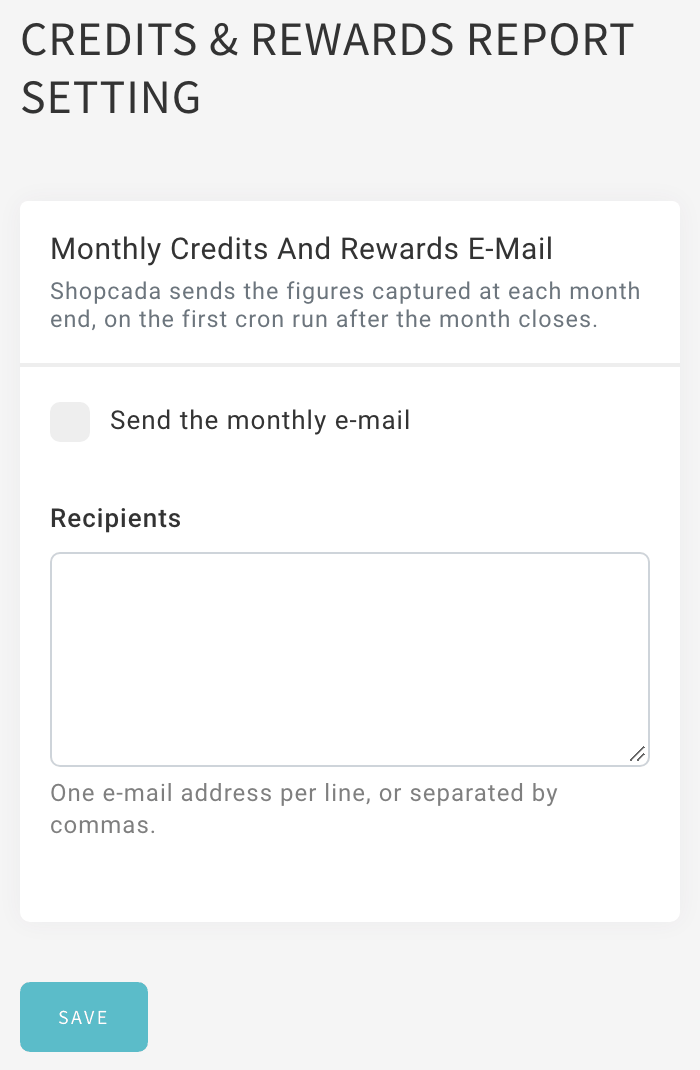
- It shows the saved month-end figures. It also links to the report.
- Each address must be valid. If one isn’t, you see [address] is not a valid e-mail address.
- The email needs at least one address. Otherwise you see Add at least one recipient to send the monthly e-mail.
When Shopcada Sends the Email
- Shopcada sends it soon after each month ends. It covers the month that just ended.
- It sends one email a month.
- It sends nothing while Send the monthly e-mail is off or Recipients is empty.
